Digital Download Instructions
If you have purchased a digital edition subscription from Our Media Shop or if you are being served the digital edition as a print replacement, please follow the below steps, to access your magazines.
If you purchased your subscription or issues directly from the Apple or Google Play Store your issues should appear automatically. If they do not, please see our FAQs.

Before you start: You will need your subscriber number. This 10-digit number, beginning with 40, can be found on the confirmation email/letter sent when you purchased the subscription.
Step 1:
Download your app
On the device you want to read your magazines on, tap the button below to browse all Our Media magazine apps and find yours, then install it.
Step 2:
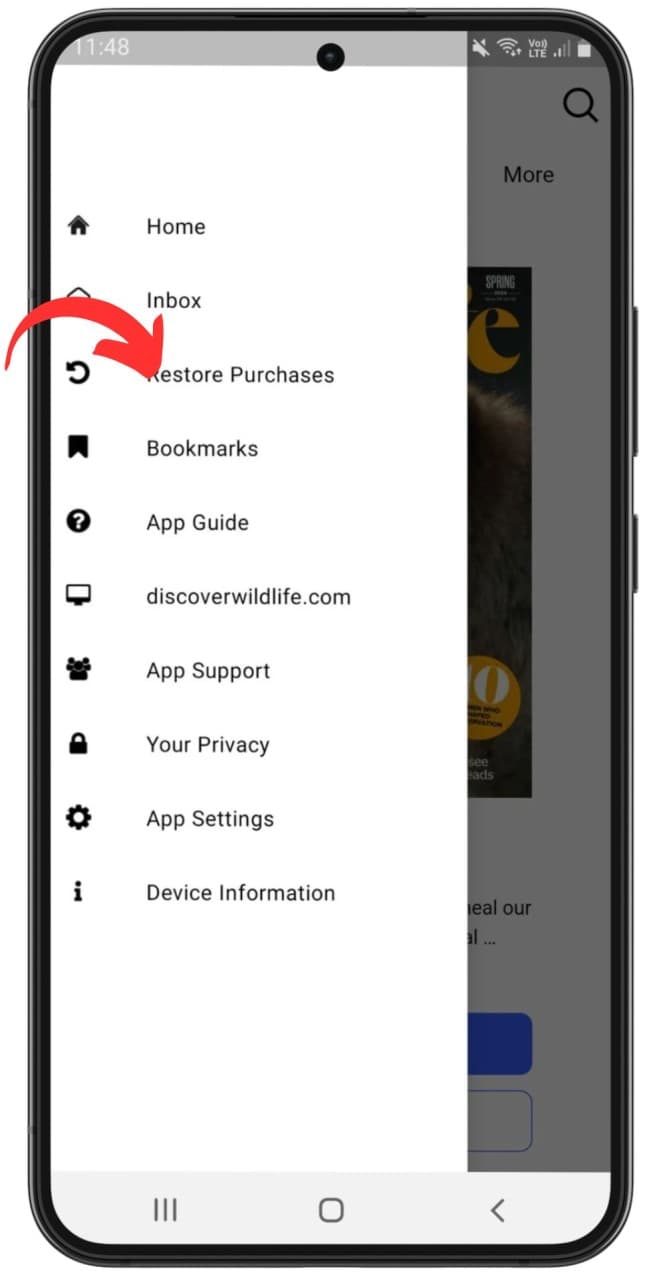
Navigate to restore purchases
Open the app and tap the menu in the top left then Restore Purchases.
Open the main menu
Tap 'Restore Purchases'
Step 3:
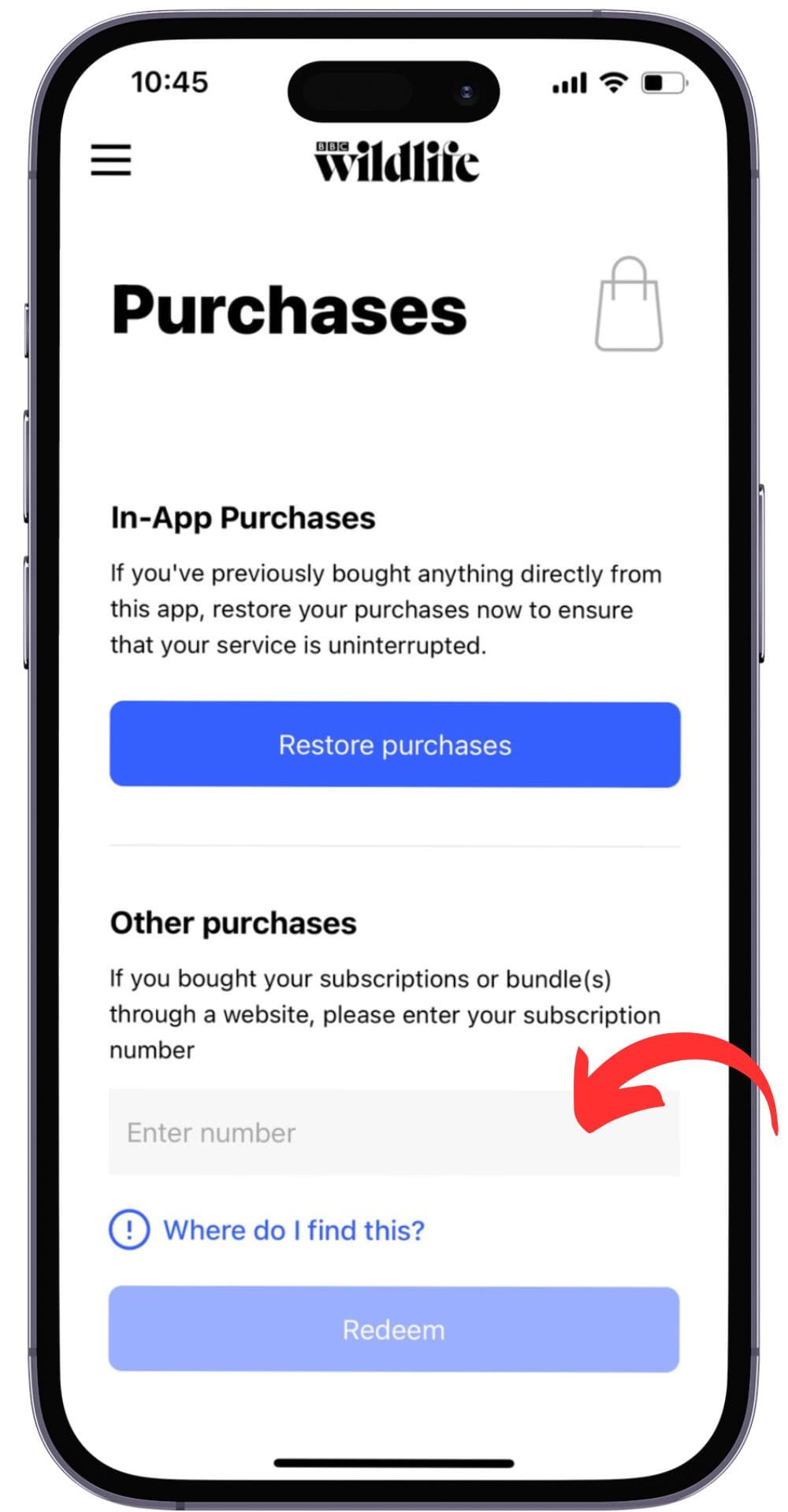
Enter subscriber number
Next, input your subscriber number in the text box titled 'Other Purchases' on iOS devices or 'Web Purchases' on Android devices. Finally, tap 'Redeem'.
Open the main menu
Tap 'Restore Purchases'
If accepted, you should then see a tick appear in the box next to your subscriber number.
Brilliant content you can trust.